
Three Ways to Play
All three routes use the same account. You can start in a browser today, install the app tomorrow, and your player ID, balance and history follow you because they are stored server-side.
| Route | Install needed | Best for |
|---|---|---|
| Android browser | No | Trying the lobby immediately |
| Installed Android app | Yes (82 MB) | Regular play on a phone |
| Desktop browser | No | Playing on a bigger screen |
Play Without Downloading
Open the lobby link in Chrome on Android, or in any modern browser on a computer. The lobby loads, you register or log in, and you can open a game card straight away. Nothing is installed, so nothing needs to be uninstalled later.
You can also use your browser's Add to Home screen option. That places an icon on your home screen that opens the lobby full screen — close to the installed experience without a package download.
- Open the 2Fun Bet game link in your browser.
- Register with a phone number, or log in.
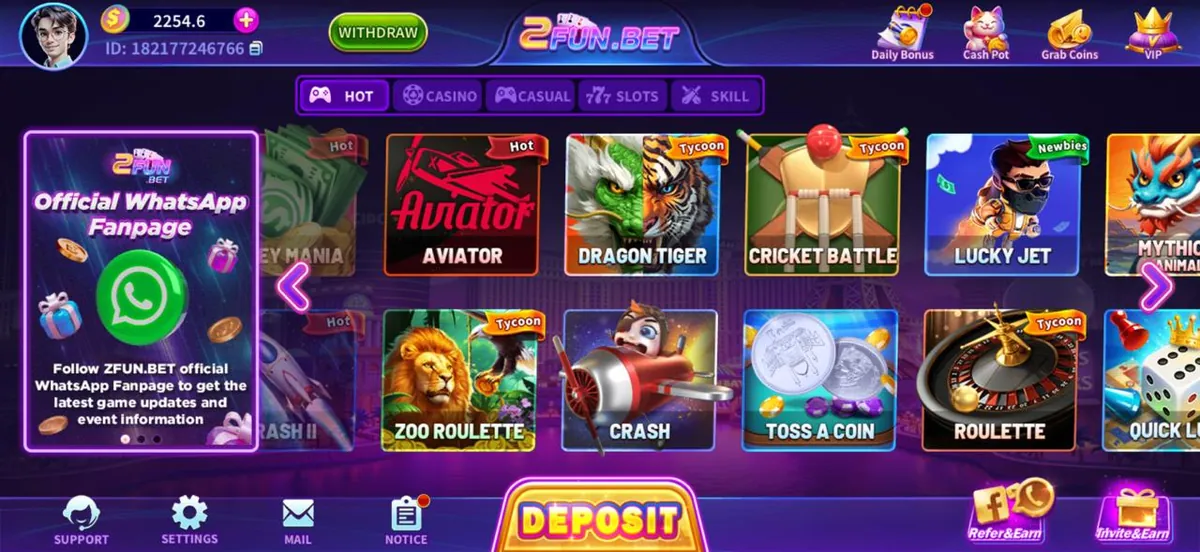
- Pick a category tab and tap a game card.
- Optionally use the browser menu to add the lobby to your home screen.
2Fun Bet Download for Android
The Android package is roughly 82 MB and needs Android 7.0 or newer. Download it over Wi-Fi if you can, since a dropped mobile connection produces an incomplete file that will not install.
- Open the lobby on your Android phone and tap the download option.
- Confirm the browser download prompt.
- Open the finished file from Downloads.
- Allow installs from your browser when Android asks.
- Tap Install, wait, then open the app and sign in.
2Fun Bet Download for PC
There is no dedicated Windows or macOS program. On a computer you open the same lobby link in a browser, which is what most 2fun bet download for PC searches are really after. Full-screen mode gives you a large playing area with no install at all.
If you specifically need the Android build on a desktop, an Android emulator can run the package, but performance and stability then depend on your computer and the emulator rather than on the app itself.
Download Safety Checklist
- Only download from a source you trust, and read the browser warning before continuing.
- Check the file size looks right before you install it.
- Never enter your password on a page that is not the app or the official lobby.
- Turn the unknown-sources permission back off after installing.
- Keep a note of your player ID in case you need support.
Treat any page promising bonuses in exchange for your login details as a scam. The app never needs your password anywhere except its own login screen.— 2Fun Bet editorial team
After the Download
Once the app is on your phone, the next steps are registration and login. Open Settings inside the app to confirm your details, then explore the category tabs. Deposit and withdrawal screens are reachable from the bottom bar and the top of the lobby respectively.
If a 2 fun bet download completed but the app will not open, restart the phone first — that clears most first-launch problems — and reinstall only if it still fails.
Frequently Asked Questions
Q1.Do I have to download anything to play 2Fun Bet?
No. The lobby runs in a normal browser on Android and on a computer, so you can play without installing anything. Downloading the Android package is optional and mainly useful if you play often and want a home-screen icon.
Q2.How big is the 2Fun Bet download?
The Android package is around 82 MB. Leave extra free storage on top of that, because Android needs working space during installation and the app stores some data after the first launch.
Q3.Is the 2FunBet download free?
Yes, downloading and installing costs nothing. Adding funds to your in-app wallet is a separate action you choose to take inside the app.
Q4.Can I download 2Fun Bet on iPhone?
An Android package cannot be installed on iOS. iPhone and iPad users open the lobby in Safari instead and can add it to the home screen for quick access. Our iOS page explains that route in detail.
Conclusion
Pick the route that matches how you play: browser for a quick look, installed app for daily sessions, desktop browser for a bigger screen. The account is the same in all three.
Once the 2Fun Bet download is done, head to the install guide if Android blocked it, or straight to the register page to get playing.
Related Pages
2Fun Bet Editorial Team
Last reviewed: 16 September 2026